
Why is my automation not running as intended? Here is a quick troubleshooting step to check-off your list!
There are three scenarios in which such a thing can happen:
The First Scenario - Deactivated user
What happens to an automation that was configured by a user when that has since been deactivated from your account? When a user is deactivated from an account, so too are their automation recipes.
How do I know when an automation has been disabled for this reason?
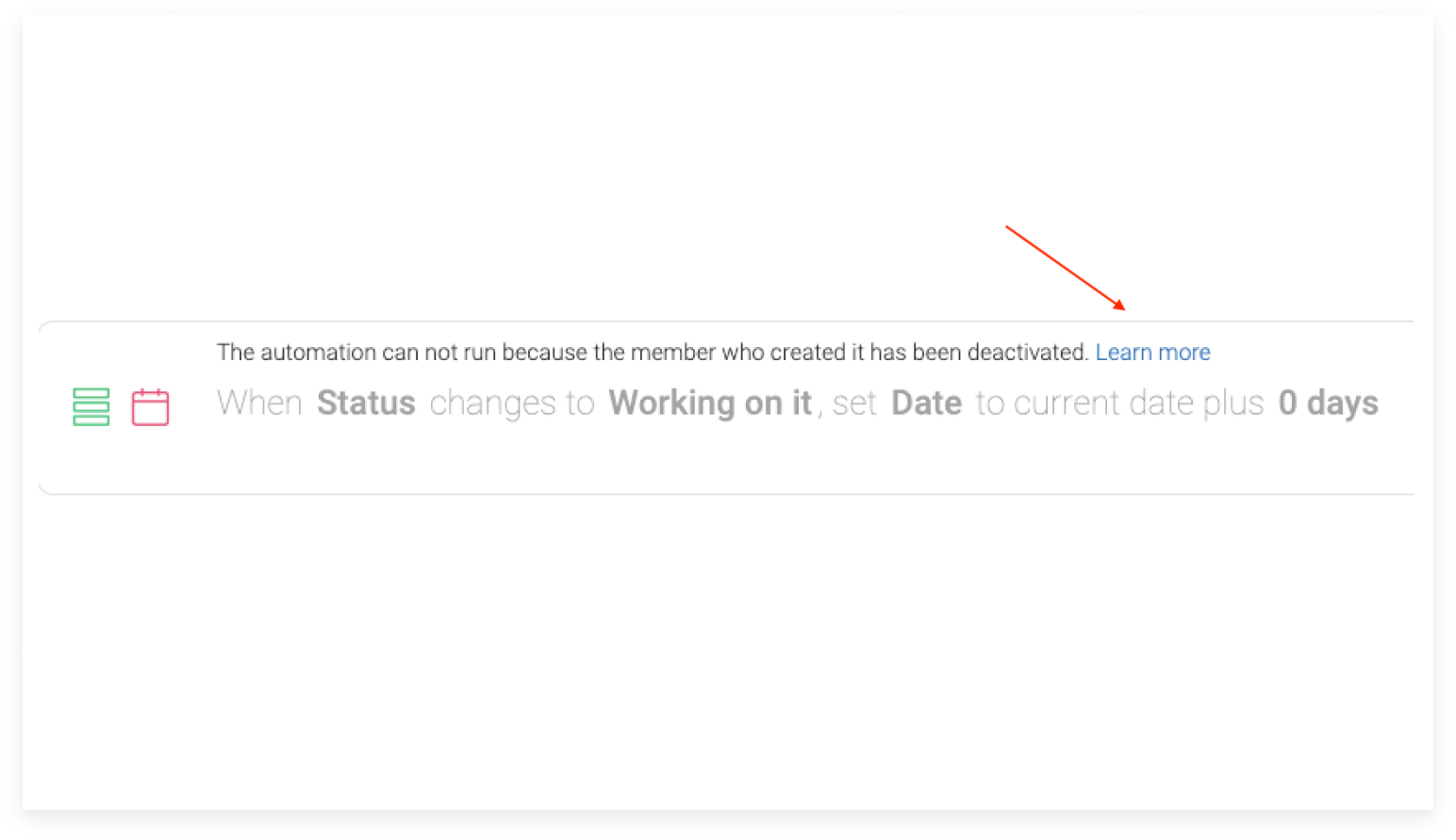
You can check which of your recipes have been affected by taking note of a specific notification that will only appear on the deactivated user's automation recipes. Head to your board's Automation Center to check it out:
How can I re-enable this automation?
We know things are constantly changing and we want to minimize your workflow interruption. Here are a few quick steps to re-configure your automation:
Option 1: Create a new automation
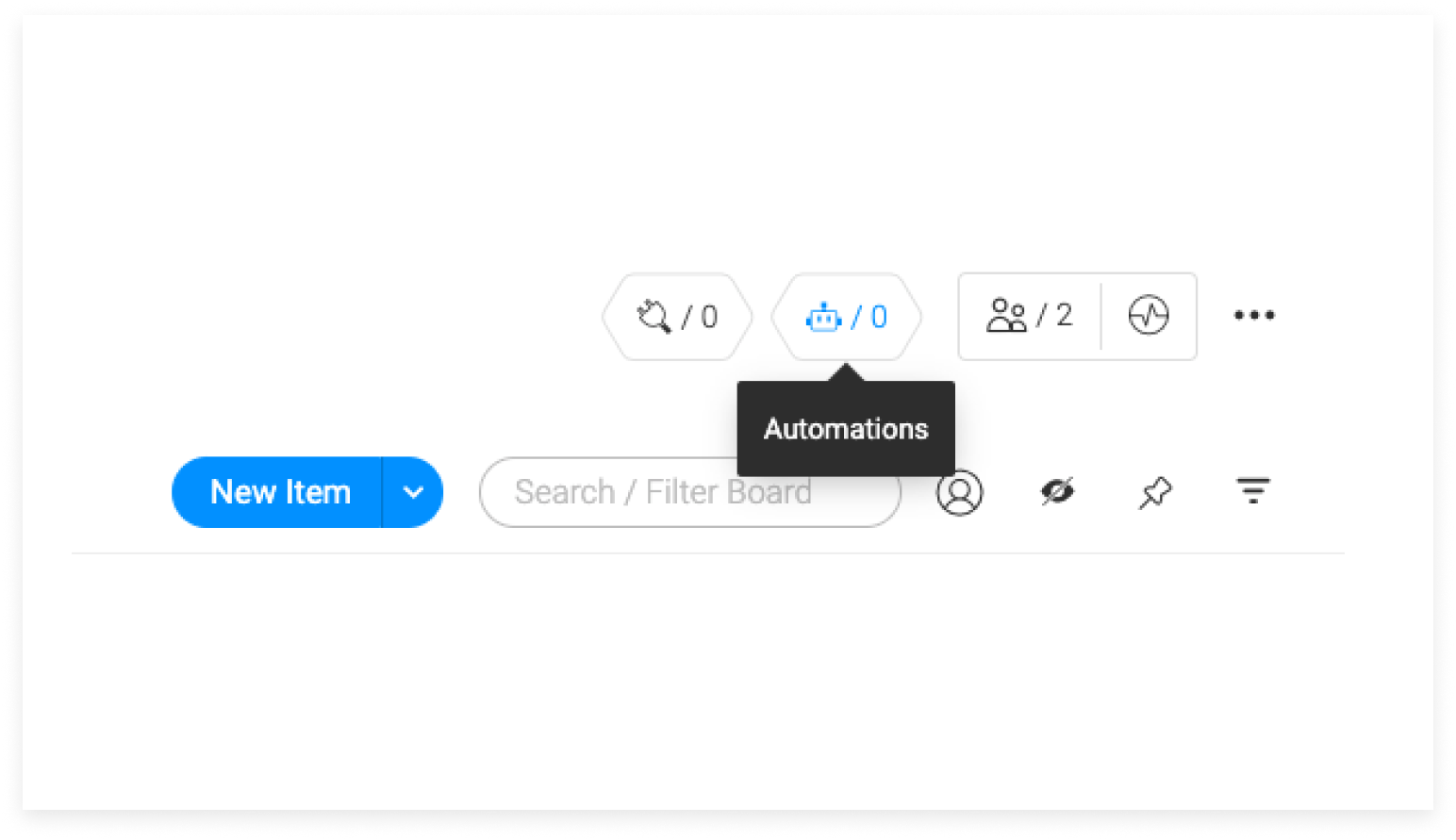
Select "Update Automation" and you'll be all set!
Option 2: Reactivate the team member

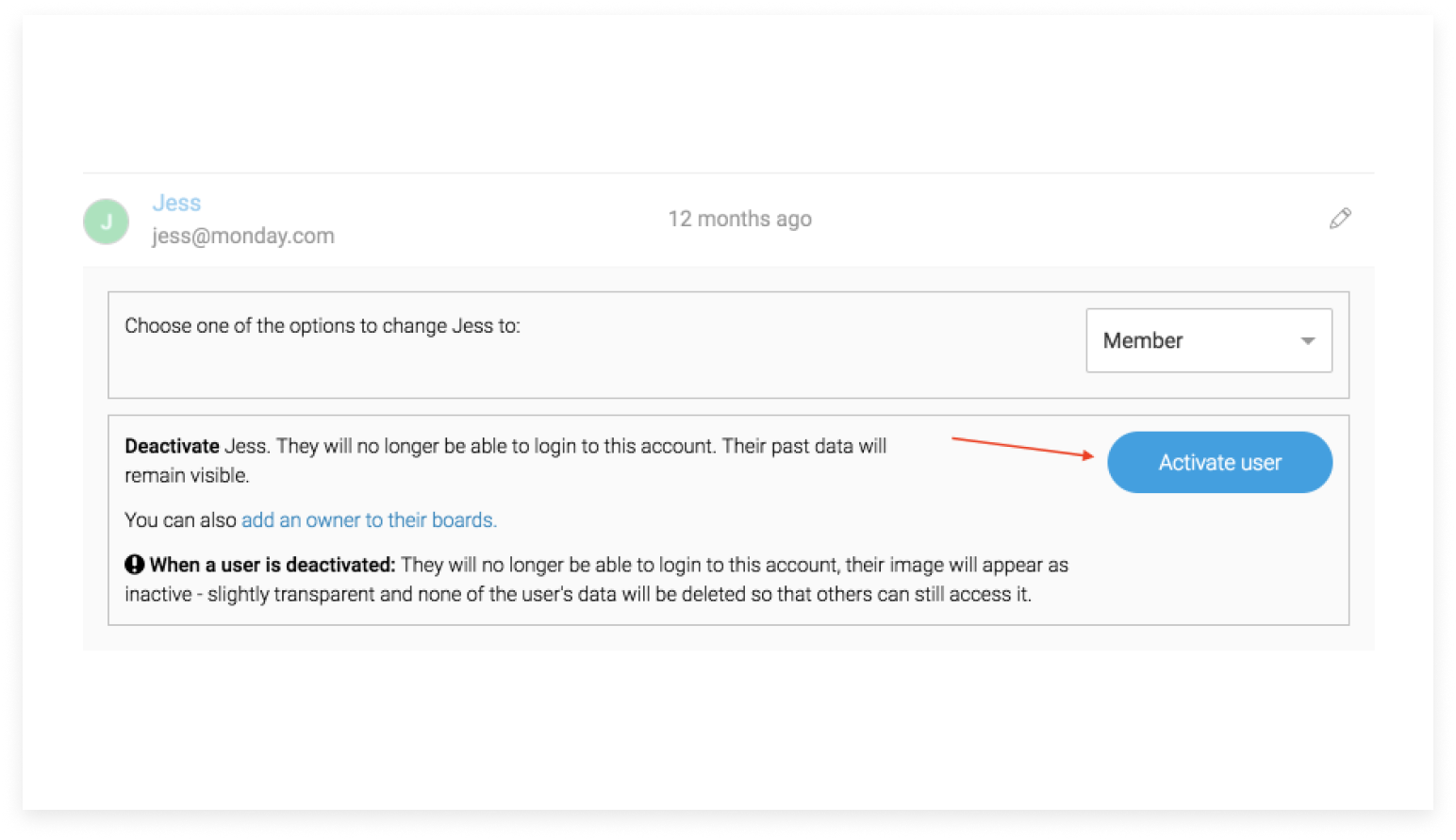
You also have the option to reactivate the team member in your account, of course! To do so, please follow the steps below:
- Click your Profile Picture (avatar)
- Click Admin
- Click Users
- Select "Deactivated Users" from the dropdown menu
- Scroll to the right of the user's name to view a pencil.
- Click the pencil.
- Click on "activate user"
- Send a password reset and change the credentials

The Second Scenario - Unauthorized user
What happens to an automation that was configured by a user that has since been unsubscribed from that board, has had their permissions revoked from a column involved in the automation recipe, OR the user was changed from a team member/guest to a viewer? When a user is unsubscribed from a board, column, OR his type has changed, their automation recipes are deactivated as this user is unauthorized to make changes on that board.

How do I know when an automation has been disabled for this reason?
You will receive a notification that informs you of this change.
You can also check which of your recipes have been affected by taking note of a specific message that will only appear on the deactivated user's automation recipes. Head to your board's Automation Center to check it out:

How can I re-enable this automation?
We know things are constantly changing and we want to minimize your workflow interruption. Here are a few quick steps to re-configure your automation:
Option 1: Create a new automation
Select "Update Automation" and you'll be all set!
Option 2: Re-subscribe the user to the board
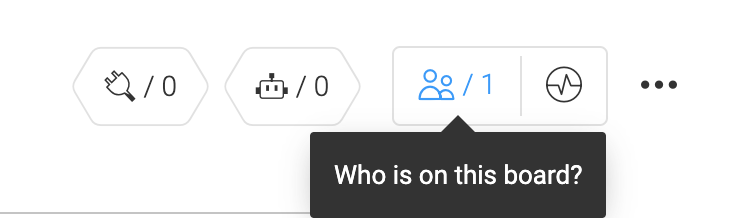
You can simply re-subscribe this team member to the board by clicking on "who's on this board" and entering in their name or email!
You can learn more about it here
Option 3: Change the user back to a member/Guest (and not Viewer)
To do so, please follow the steps below:
- Click your Profile Picture (avatar)
- Click Admin
- Click Users
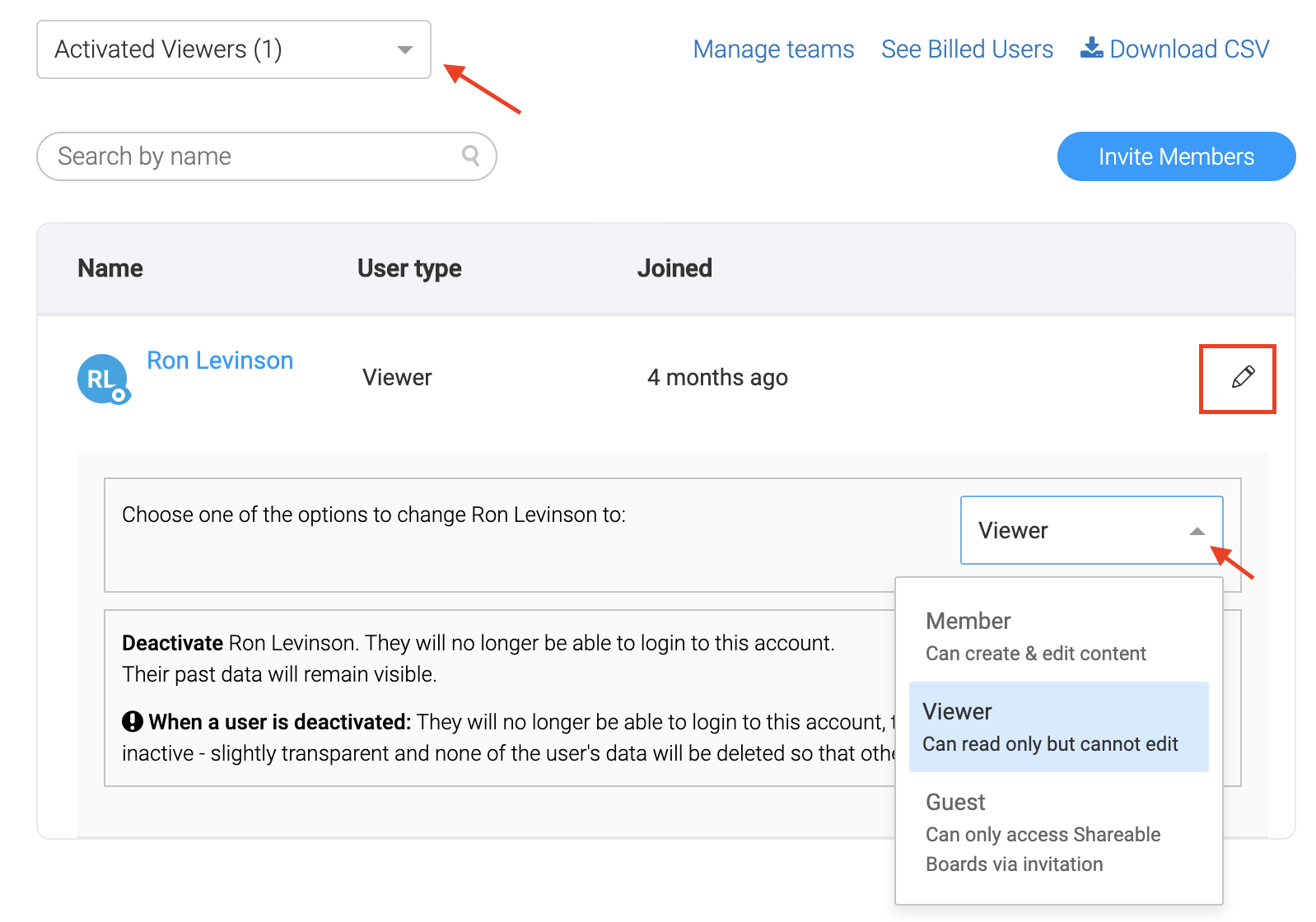
- Select "Activated Viewers" from the dropdown menu
- Scroll to the right of the user's name to view a pencil.
- Click the pencil.
- Click on the drop-down menu and choose "member"/"Guest"
The Third Scenario - User is not allowed to use automations
What happens to an automation that was configured by a user that has since been revoked from creating automations? When an Admin revokes the user's right to create automations, so too are their automation recipes.
How do I know when an automation has been disabled for this reason?
The admin of the account will receive a notification indicating that this is the case.
You can check which of your recipes have been affected by taking note of a specific notification that will only appear on the deactivated user's automation recipes. Head to your board's Automation Center to check it out:

An Admin can revoke the user's right to create automation from the Admin section. When this happens, all the automations that were created by this user will be deactivated and won't work.
How do I know if the right to create automation has been revoked for a specific user?
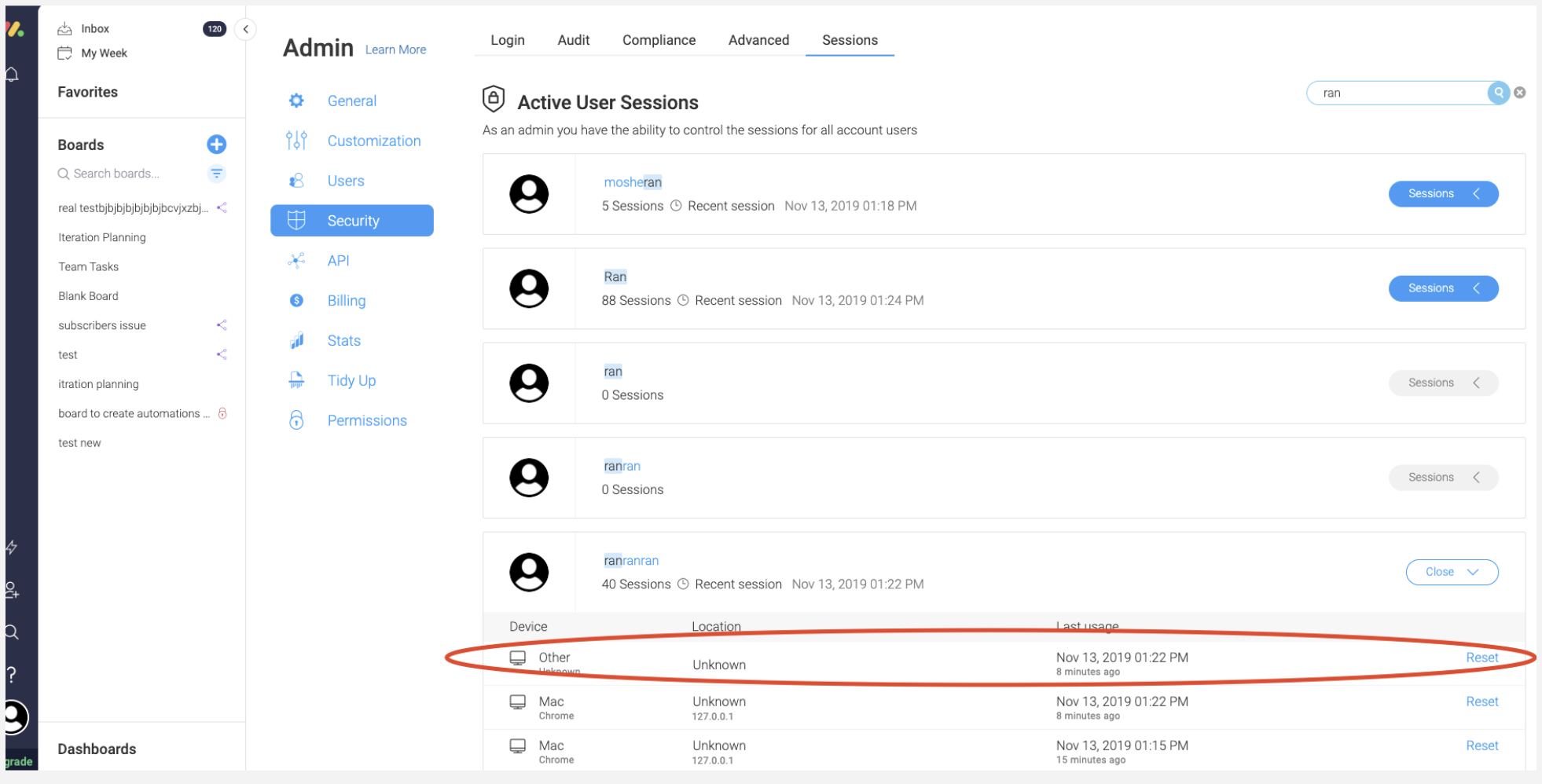
The only way that this can happen is if the Admin of the account has revoked it from the Security Section of his Admin page.
How can I re-enable this automation?
To re-enable the automation in this scenario you'll have to re-create the connection for this user. This can only be done on our end. So, should you encounter this error message and this scenario please reach out to support@monday.com and be sure you send a screenshot of the error message you're seeing as well as the user's email (the user that was revoked) and the board's URL.
More Assistance
If you have any further questions or feedback about automations or this article, don't hesitate to reach out to us at support@monday.com. We are here for you 24/7!
Comments
0 comments
Please sign in to leave a comment.